

Core features · Code editor
Code editor
Edit files opened from the Explorer right away. Auto-reload on external changes, open/save in every encoding down to EUC-KR and UTF-16, EOL (CRLF) preservation, and GitLens-style blame.
Opening files
Double-click a file in the left Explorer to open it as a new editor tab in the active pane. For non-text binaries (PNG, exe, etc.), instead of the editor an "Open with the default app" fallback panel appears. On the right of the bottom status bar, the detected encoding · EOL label is shown only for editor tabs.
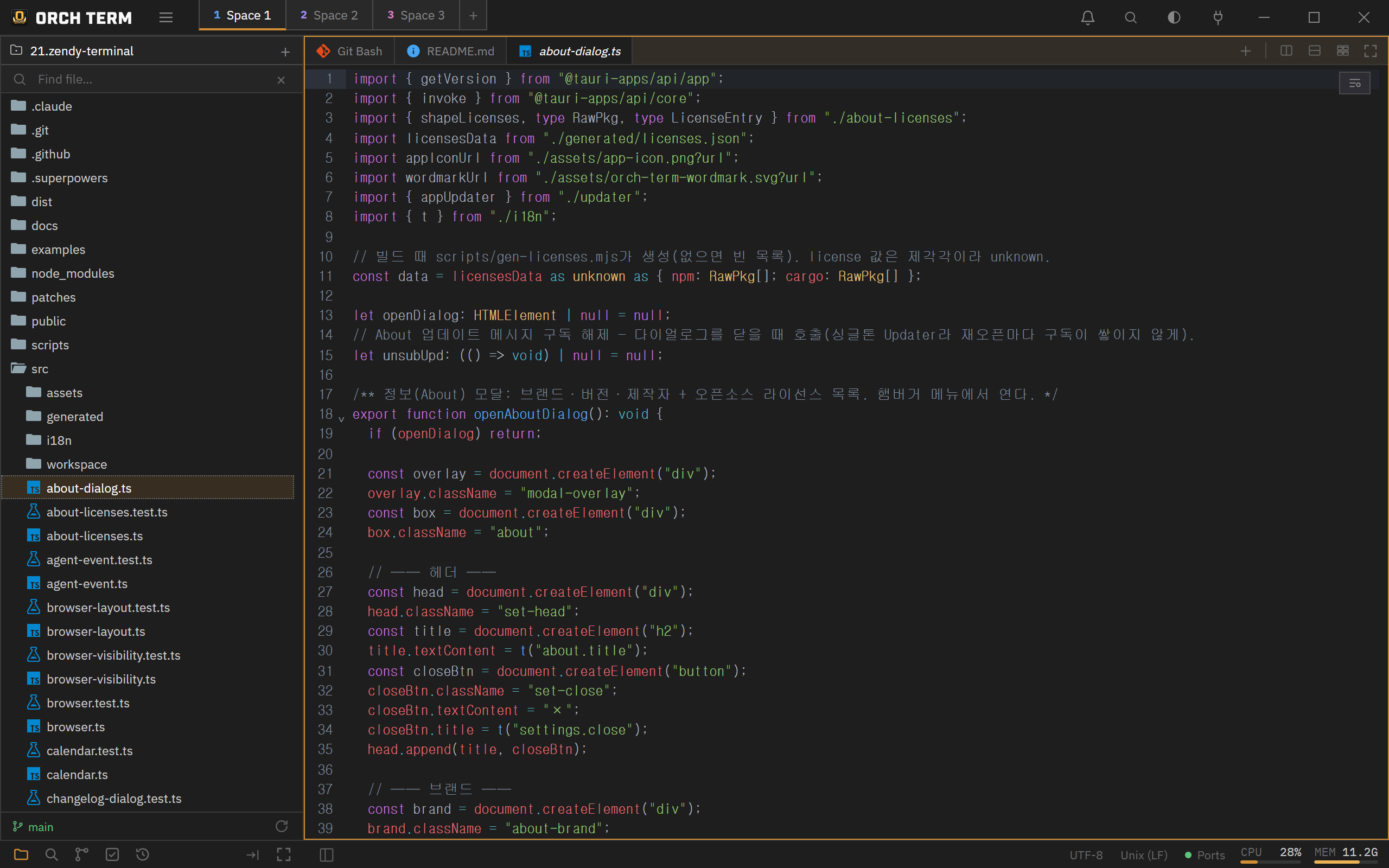
Auto-reload on external changes
When an open file is modified externally (another tool, git pull, an AI CLI, etc.), the editor re-reads it from disk. With no unsaved edits it quietly swaps in the new content; with unsaved edits it first asks whether to overwrite. You can also re-read manually anytime with the button in the status bar.
Encoding — open any file
Open Korean legacy (EUC-KR/CP949), Japanese (Shift-JIS), Chinese (GBK·Big5), Western European (Windows-1252), and UTF-16 (LE/BE) files. The moment you open one, the encoding is auto-detected and shown as a label in the status bar.
If misdetection makes text look garbled, click the encoding label in the status bar. The top group, "Reopen with encoding", re-decodes the disk bytes with a different encoding (it doesn't write the file — lossless) to fix the misdetection, while the bottom group, "Convert encoding and save", changes the document to that encoding and saves.
When saving to a legacy encoding, if there's a character absent from that encoding (e.g., an emoji), rather than quietly corrupting it the editor blocks the save and brings up a choice modal. If everything maps, it saves as-is without asking.
EOL · line-ending preservation
It detects the line-ending style (CRLF/LF/CR) on open and preserves the original EOL on save. Clicking the EOL segment in the status bar brings up a conversion menu: Windows (CRLF)·Unix (LF)·Macintosh (CR).
Markdown preview
Opening a .md file adds a 👁 toggle at the top right. The reading view does more than plain rendering:
- Mermaid diagrams —
```mermaidfences are drawn as SVG. On a syntax error it keeps the original source visible so you can fix it. - Math —
$..$(inline) and$$..$$(display) render with KaTeX. Currency like$100is not mistaken for math. - Code block highlighting — name a language (
```ts) and the block is highlighted in the same colors as the editor; hovering a block reveals a copy button. - GFM alerts —
> [!NOTE],[!TIP],[!IMPORTANT],[!WARNING], and[!CAUTION]become colored callout boxes (a title can follow on the same line). - Relative images and links —
resolves against the markdown file's own folder,[x](./other.md)opens in an editor tab, and external links open in the in-app browser. - Heading anchors — in-document links like
[Contents](#section)scroll to the heading inside the preview. - GFM basics such as tables and task lists (
- [x]) are supported as well.
Heavy features like Mermaid and math load only when the document actually uses that syntax, so opening an ordinary document is just as fast. The memo preview in Notes uses the same renderer.
GitLens-style blame
Turn on blame with Ctrl+Shift+B (or the editor's top-right button), and the gutter gains a per-line author · relative time. Lines that continue the same commit are shown only on the group's first line, and lines changed in the working tree appear as Uncommitted. Clicking a gutter line links to the commit details in the source control panel, and hovering shows the commit hash, author, time, and subject as a tooltip.
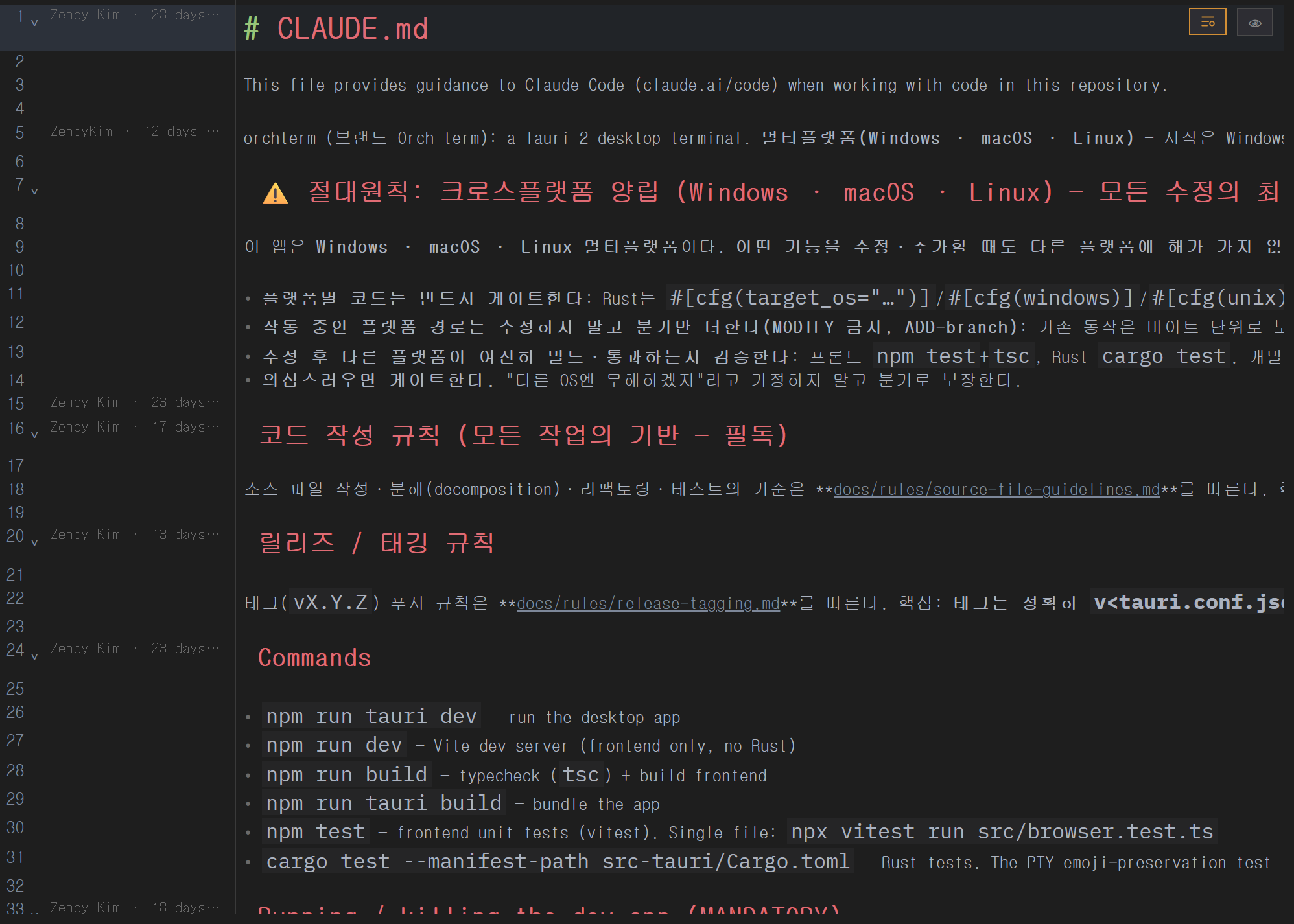
New file tab — write first, name it later
Ctrl+N (Cmd+N on Mac) opens a blank file tab. You don't have to decide where it lives before you start typing.
- Tabs are named
Untitled,Untitled 2, and so on. - The first save (Ctrl+S) is where you choose the location and name. After that the tab becomes an ordinary file tab and later saves write straight through.
- The default save location is the active project folder.
Unsaved work survives a restart
Content you haven't saved is still there after you close and reopen the app. It is kept whenever you pause typing, and once more just before the app exits. It isn't a file on disk, so other programs won't see it.
Closing the tab discards unsaved content — you're asked first. Save it if you want a file.
Keyboard shortcuts
| Key | Action |
|---|---|
| Ctrl+Shift+B | Toggle Git Blame |
| Ctrl+F | Find in a single file |
| Ctrl+S | Save (keep original encoding) |
| Palette | Reopen with encoding / convert and save |
| Ctrl+N | New file tab (mac Cmd+N) |